Metastore Setup - Databricks Unity Catalog
Metastore
A Unity Metastore in Yeedu links your Databricks Unity Catalog to external object storage (S3, ADLS, GCS) and controls metadata storage and access.
A Unity Metastore configuration includes:
- Unity Metastore URL
- Databricks Personal Access Token
- Default Catalog
- Storage Type
- External Storage Path (e.g., Amazon S3)
- Storage Secret (credentials for your object store)
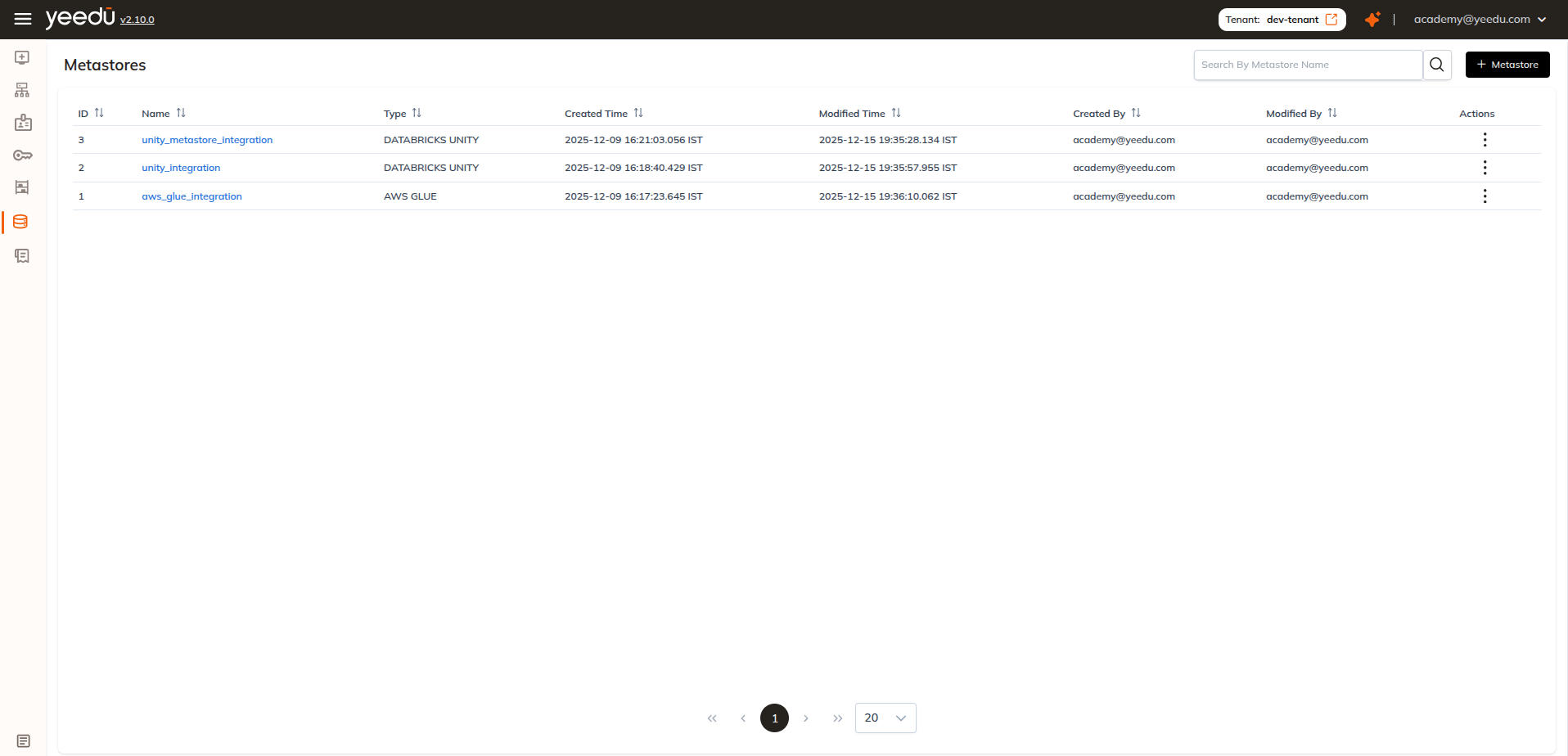
Scope Levels for Secrets
Secrets used in a Unity metastore (Databricks PAT & Storage Secret) follow Yeedu's scope system:
| Scope | Visibility |
|---|---|
| User | Only the creator can read/use |
| Workspace | All users in one workspace |
| Tenant | Visible to all users within the tenant |
Creating a Metastore
Click + Metastore at the top right of the Metastore page.
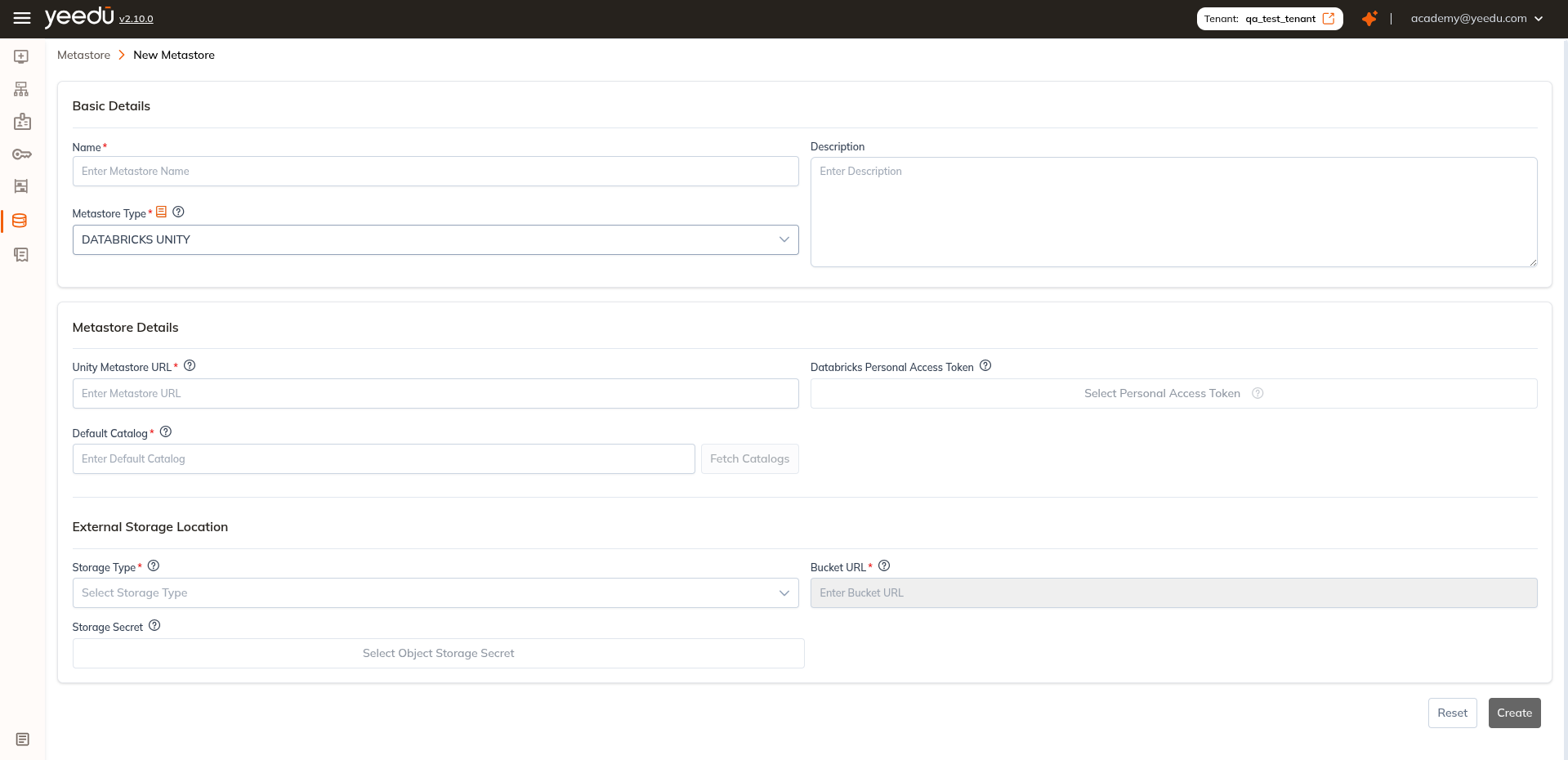
Provide the required details
Basic Details
- Name: Required; must be unique
- Description: (Optional) Add details for clarity
- Metastore Type: Select
DATABRICKS UNITY
Metastore Details
- Unity Metastore URL: Enter the unique endpoint assigned to your Unity Metastore (e.g.,
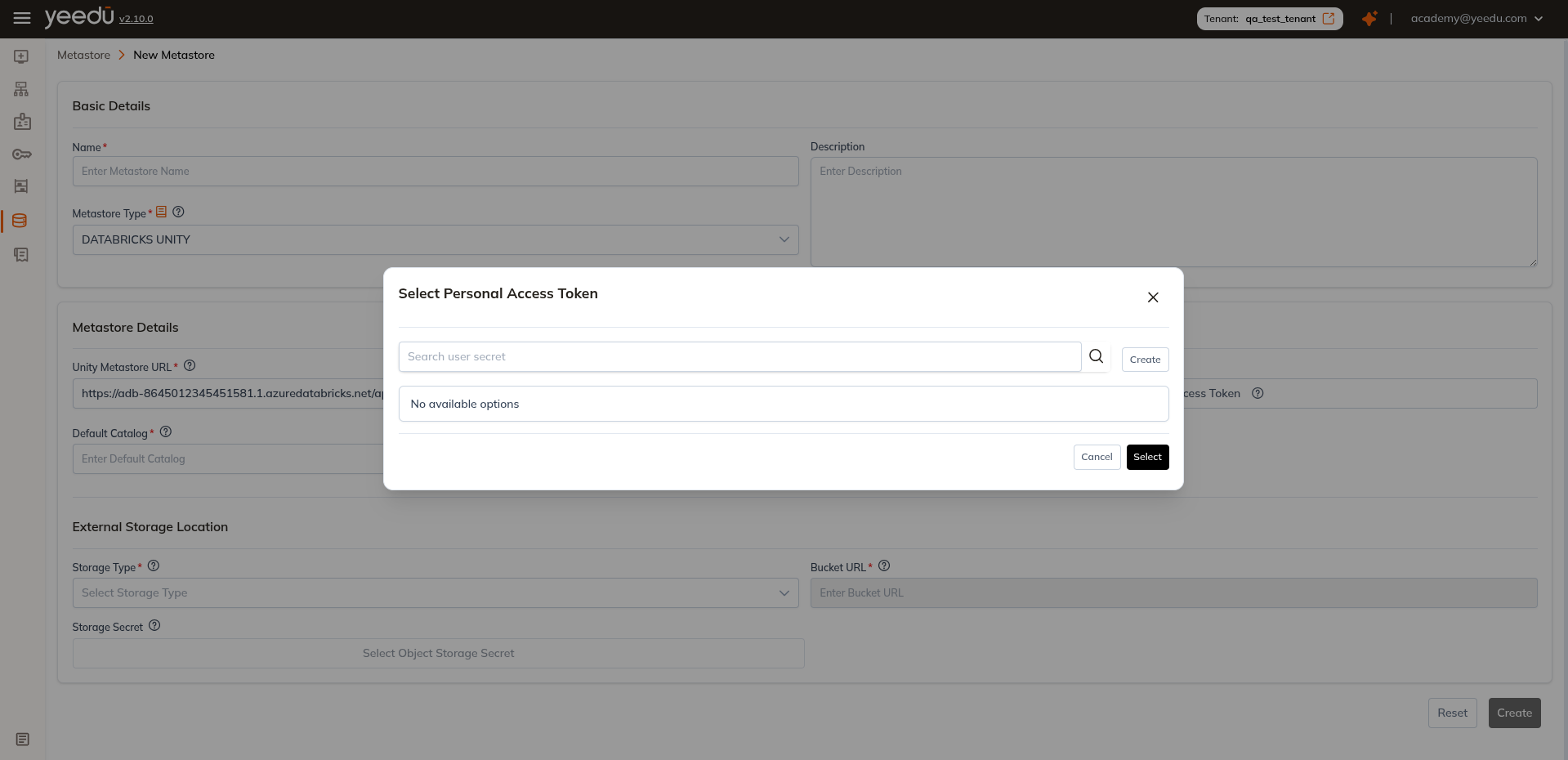
https://adb-.../api/2.1/unity-catalog) - Databricks Personal Access Token: Select Personal Access Token Secret from the dropdown
- Default Catalog: Enter the default catalog, or use Fetch Catalogs to choose one after retrieving the list
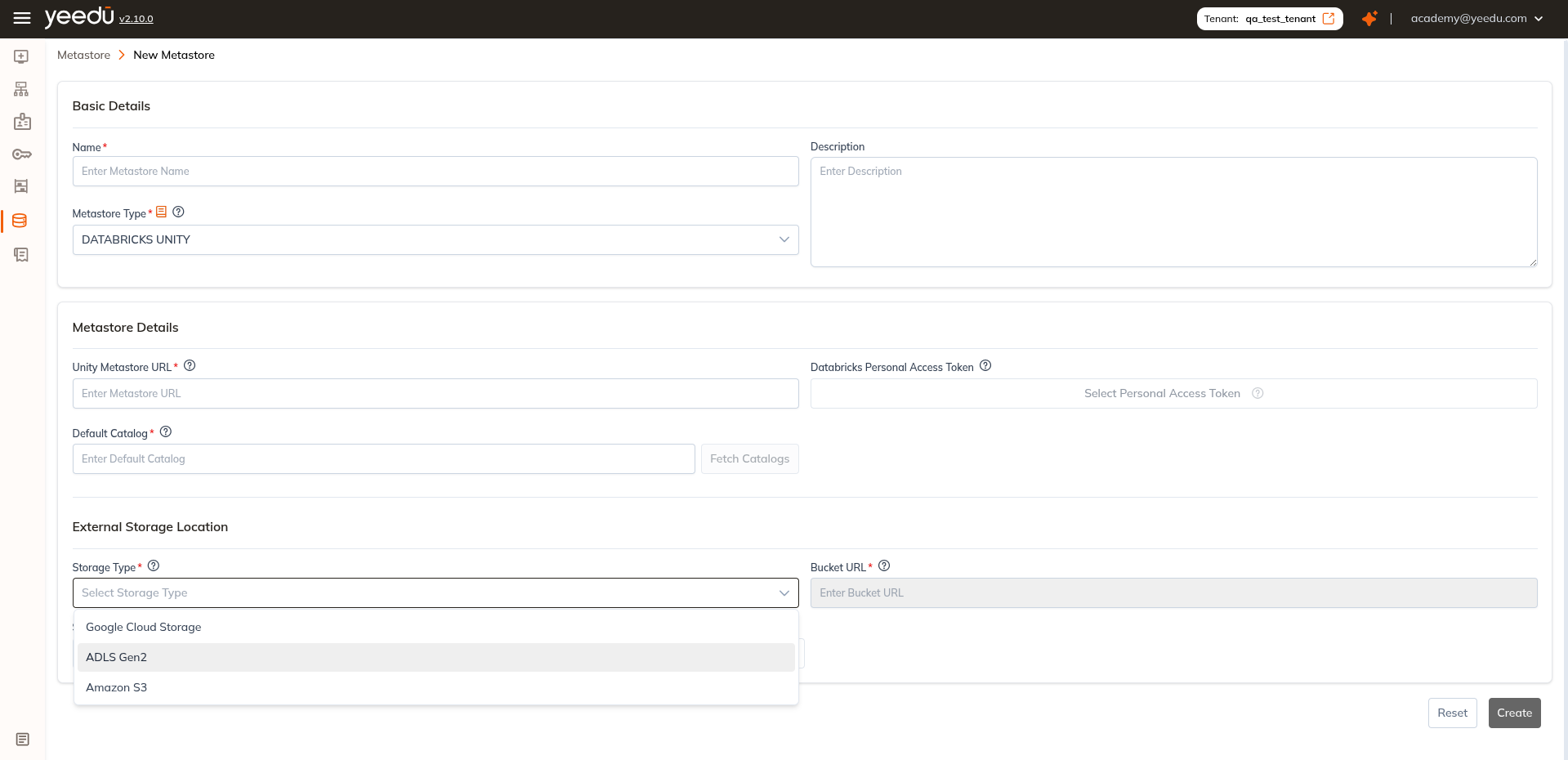
External Storage Location
- Storage Type: Choose from AWS, Azure, GCP
- Bucket URL: e.g.,
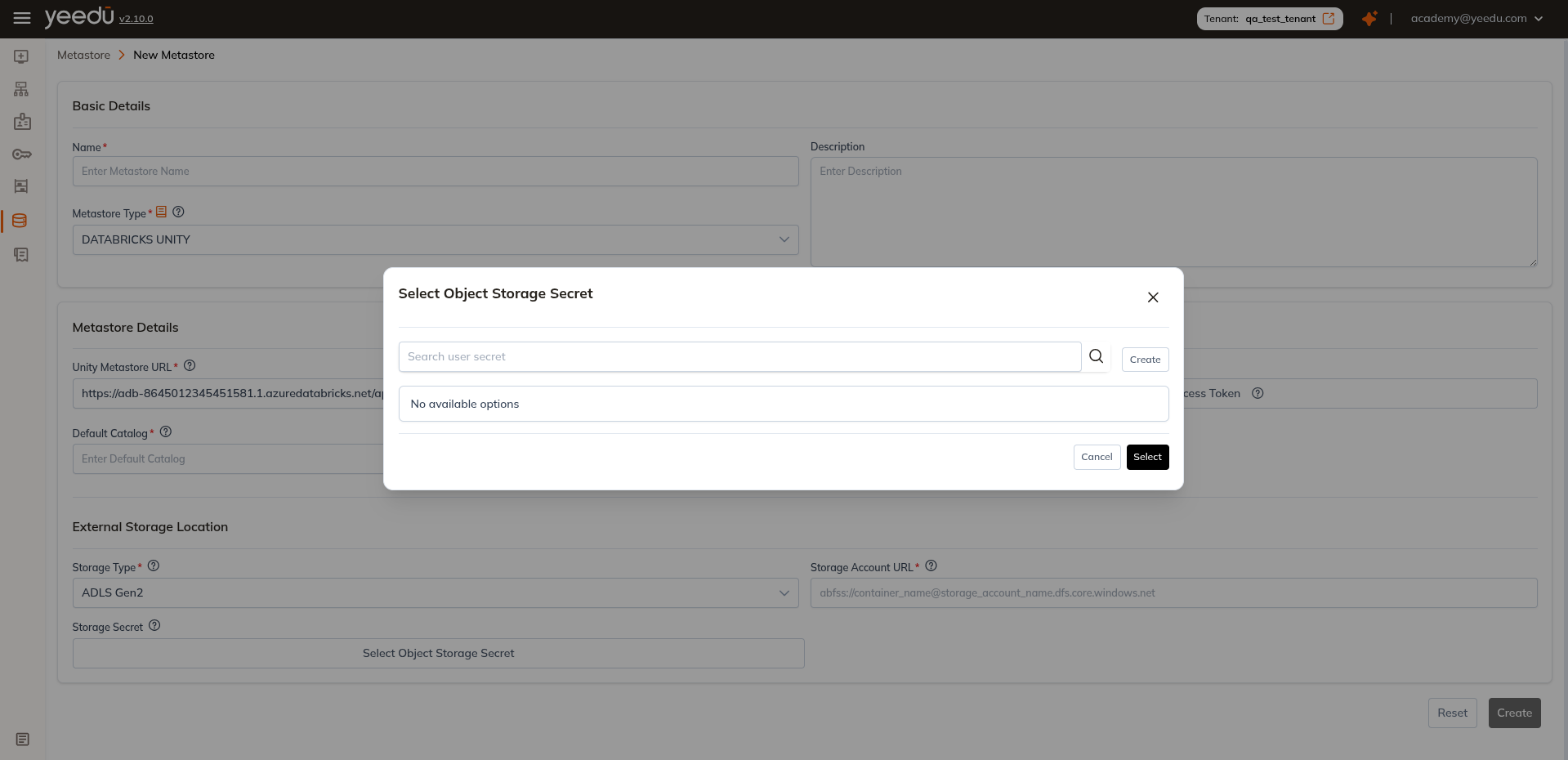
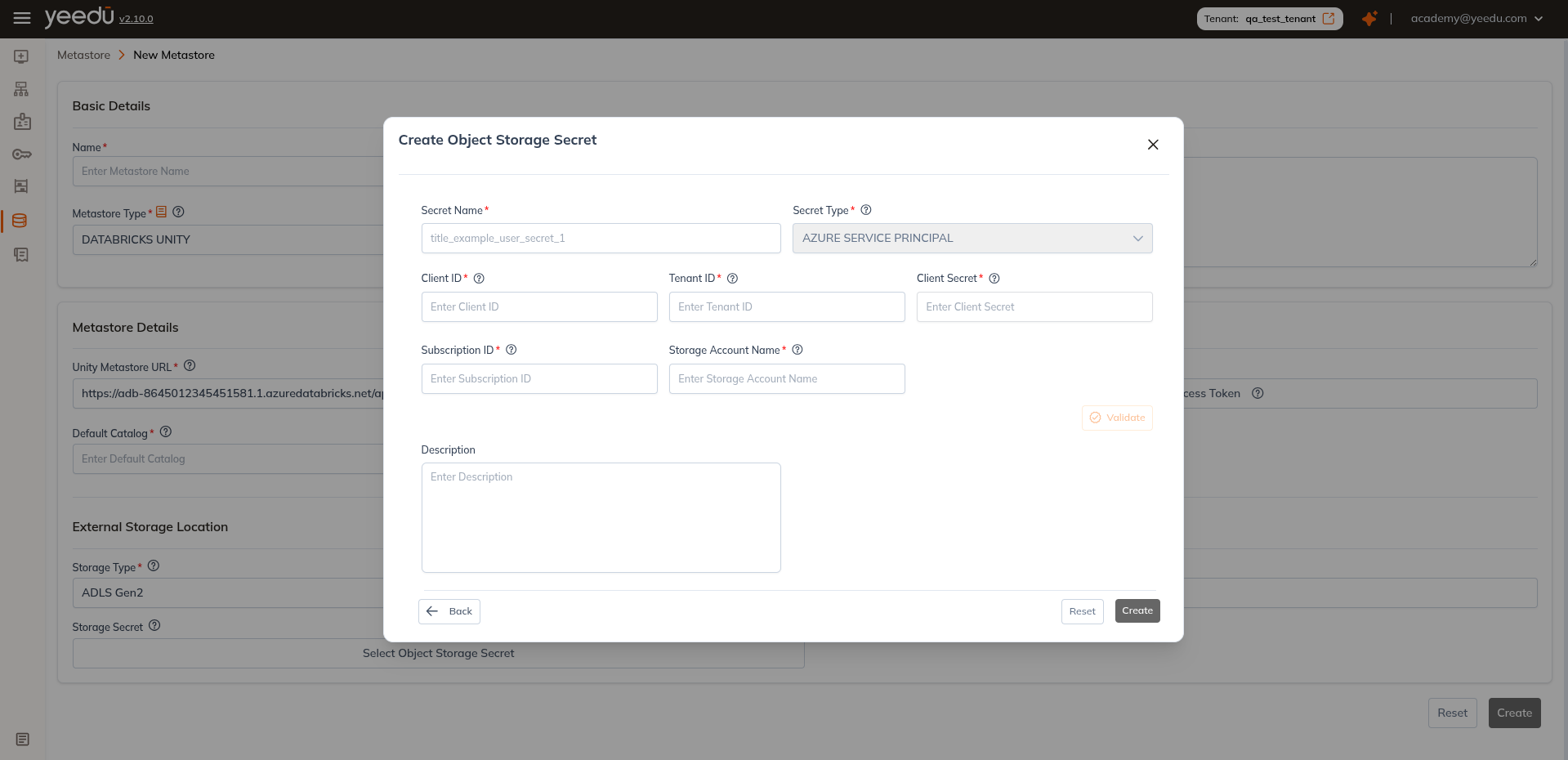
s3://my-bucket-name - Storage Secret: Select object-storage credentials
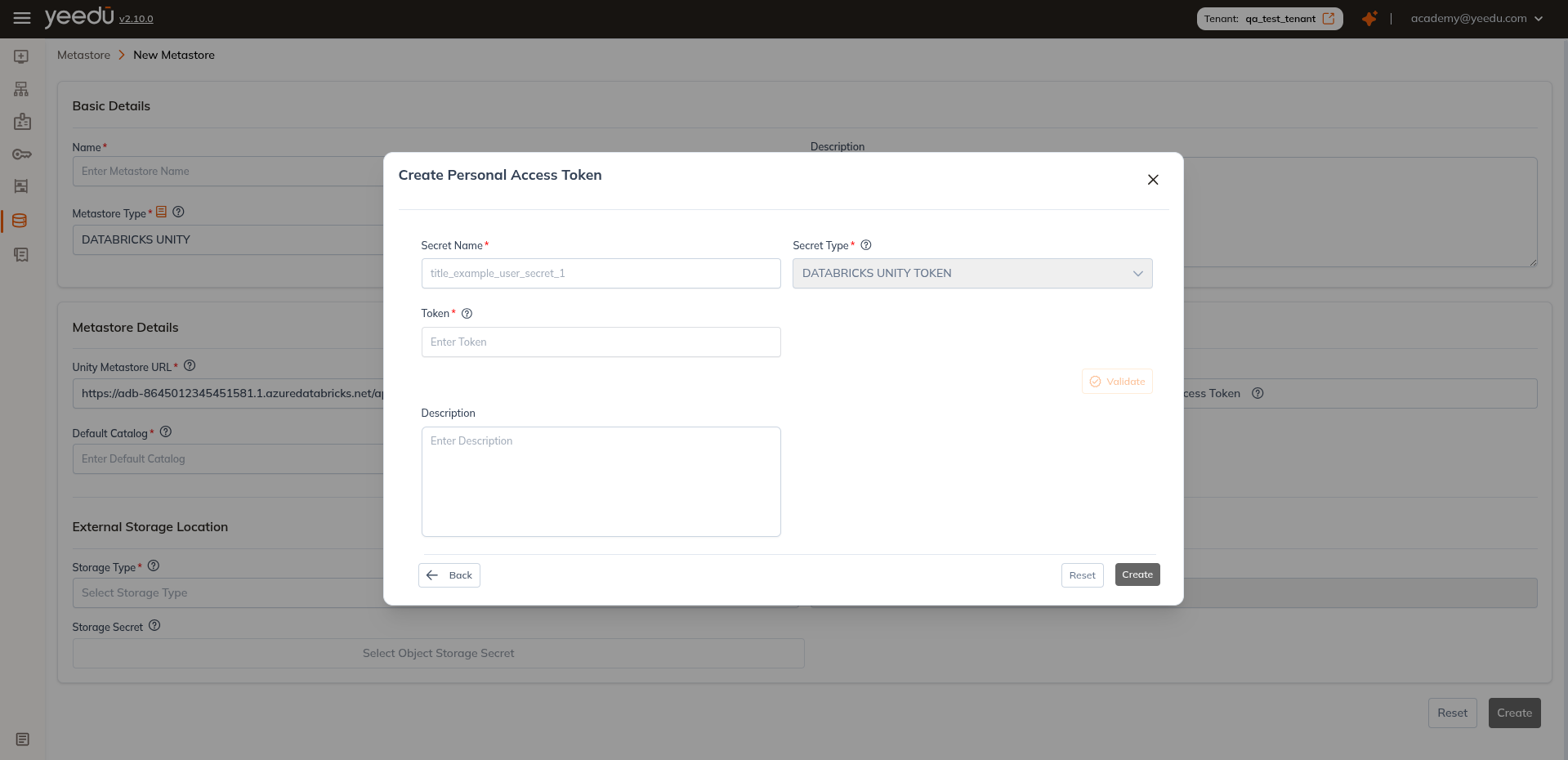
Option: choose existing secrets or create new secrets directly in the UI.
Multi-catalog setup
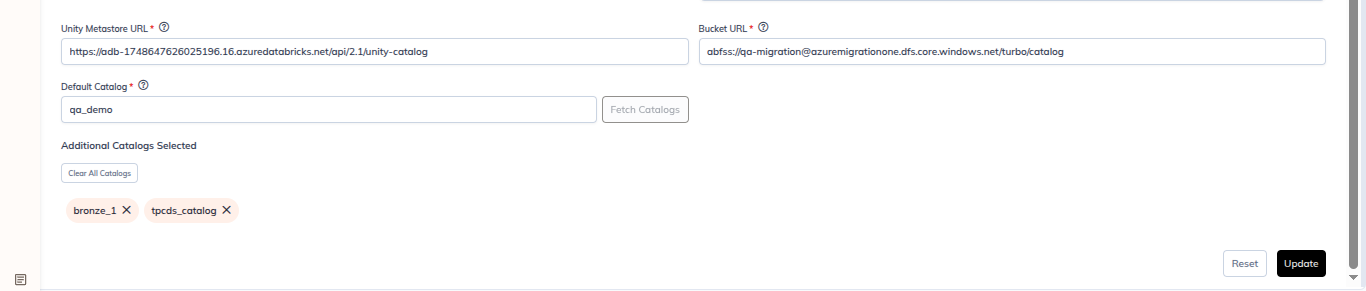
- In the metastore edit page, set
Default Catalog(e.g.,qa_demo) - Click Fetch Catalogs
- In the Select Catalog modal:
- Search by name
- Select catalog checkboxes (
bronze_1,qa_demo (Default),tpcds_catalog) - Optional: clear or adjust as needed
- Click Select
- Verify selected entries appear in
Additional Catalogs Selectedchips - Click Update
Example screenshot behavior
- Selected catalogs:
bronze_1,qa_demo,tpcds_catalog - Default catalog badge:
qa_demo (Default) - Unchecked catalogs:
main,samples,system - Buttons:
Reset,Select,Clear All Catalogs,Update
Note: recommended UI resolution is 1920x1080.